Office 365 to PST Tool Box

(Average Rating 4.8 Based on 2172 Reviews)

Screens

Guide

FreeViewer
Office 365 Export Mailbox to PST

Save Mailbox Items from Office 365 to Outlook PST, EML, MSG, MBOX, and PDF Format

Download Now
Safe & Secure

Purchase Now
30 Days Money Back*

  • Export Office 365 Mailbox in PST, MSG, EML, MBOX and PDF Format
  • Download Organization-Wide Emails, Contacts, Calendars, and Document Files
  • Export All Office 365 Shared Mailboxes and In-Place Archive Mailboxes Locally
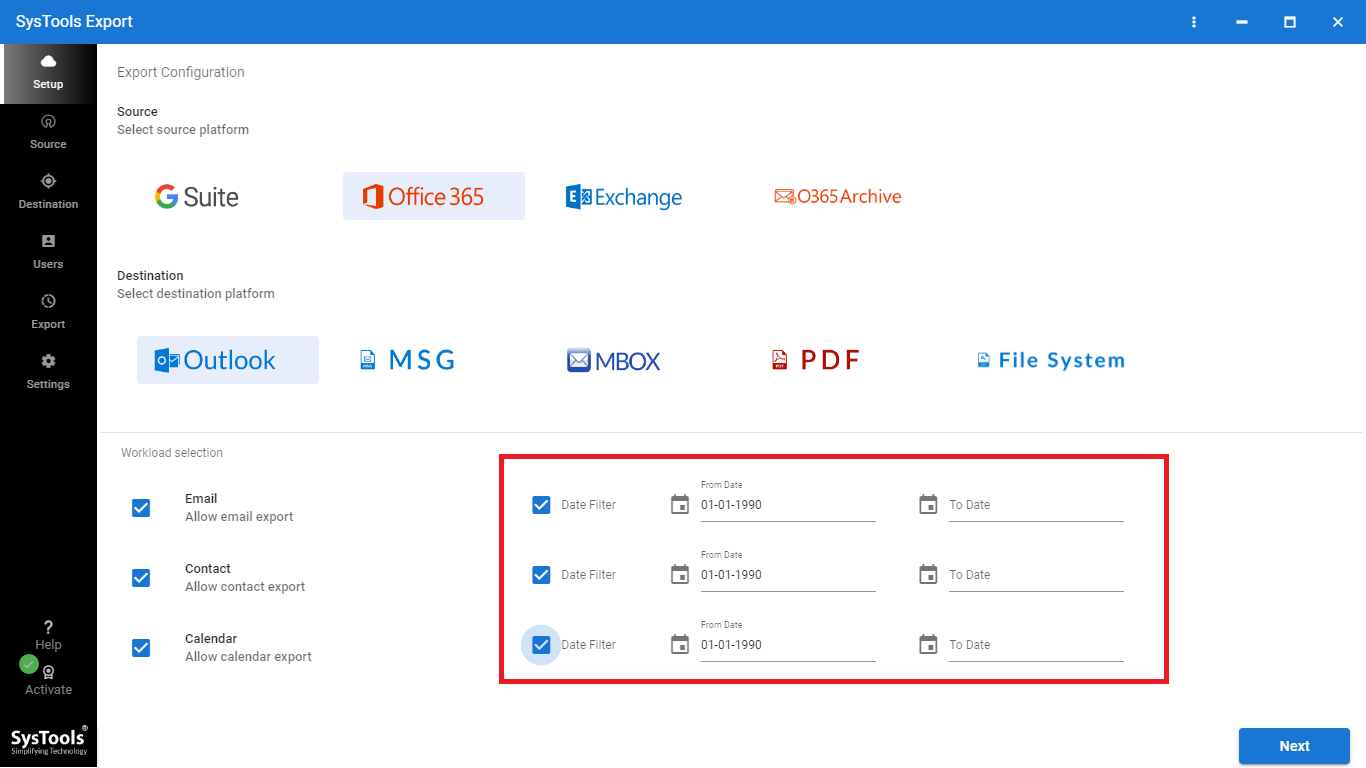
  • M365 Exporter Allows Independent Date Filter on Every Available Workload
  • Secure Admin Level Credential Validation to Initiate Multiple O365 Export
  • Does Not Alter the Read / Unread State of M365 User Emails During Export
  • Browse and Select a Custom Folder Path to Save the Exported Data
  • Naming Convention Options for Accurate Microsoft 365 Export
  • Split all Office 365 Export Files into Predefined Chunks for PST-type Outputs
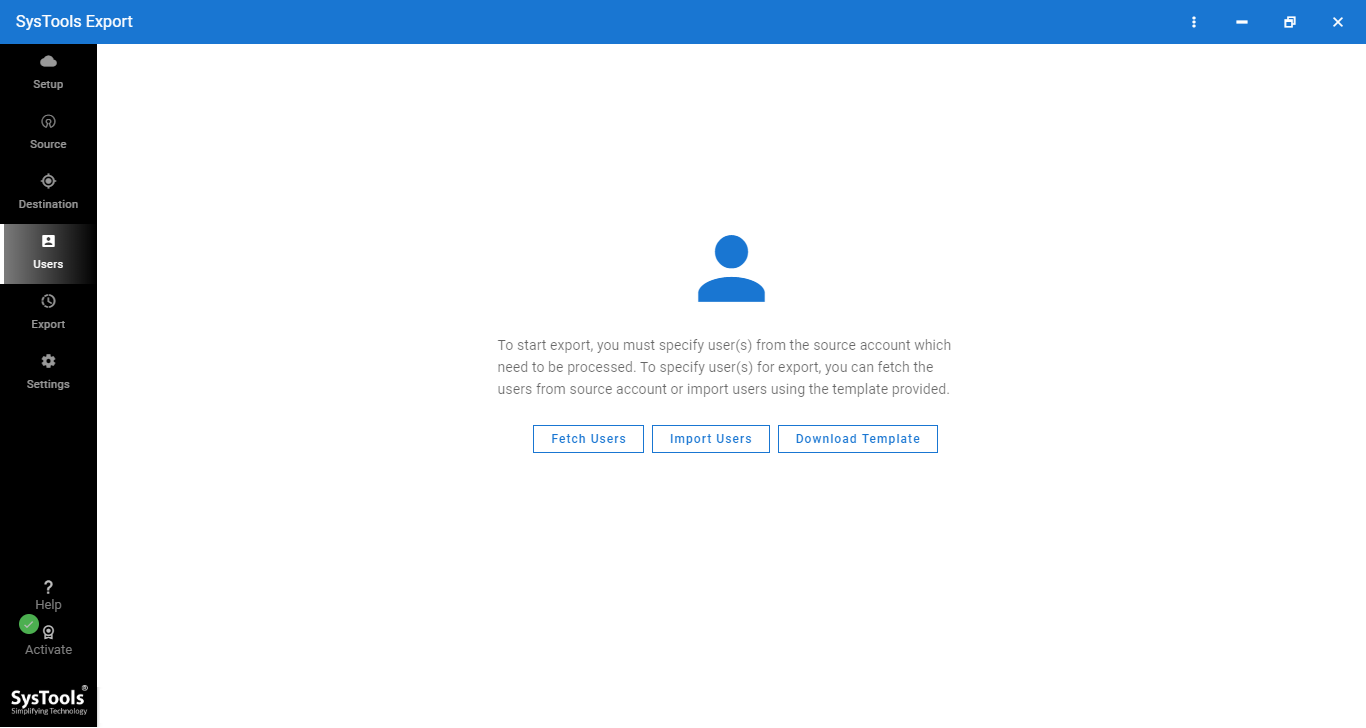
  • 3 User Mapping Options include Fetch, Import CSV, and Download Template
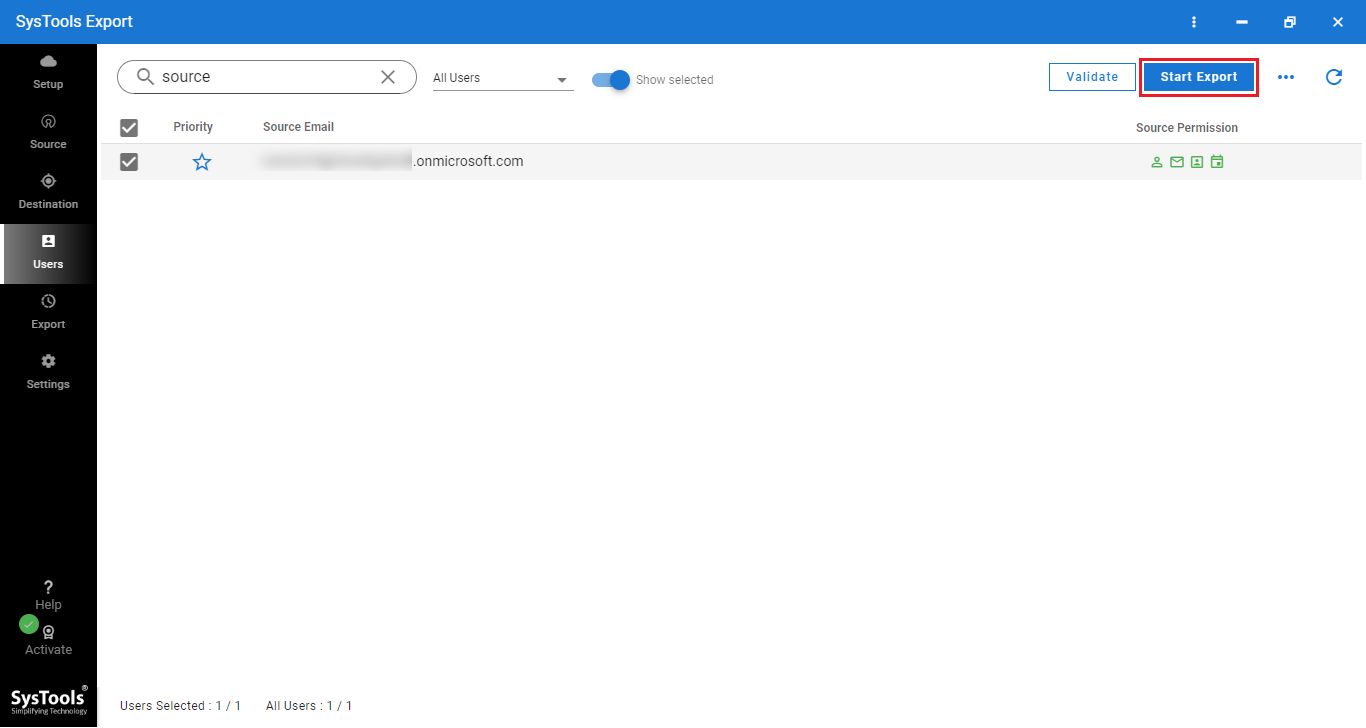
  • View, Select, Prioritize, and Validate the User List Before the M365 Export
  • Retry, Redo, and Perform Delta Export for Saving Office 365 Data to PST
  • Generate Office 365 Export Mailbox to PST Summary and Detailed Reports
  • Works With All Major Office 365 Plans and Windows Operating System
🔐

The trial edition of the Office 365 to PST export tool allows to download 2 users O365 mailbox to PST for free of cost.


FreeViewer Awards & Reviews

Best Software Alternative to Export Office 365 Mailbox to PST Using eDiscovery

CNET award

“O365 to PST Export Tool rated 5-star from CNET to export Office 365 Mails, Contacts, Calendars, Tasks. Using Admin account, Software extract emails from multiple O365 account in a single click.”

FreeViewer Office 365 Export Mailbox to PST

6-Step Approach to Convert Office 365 Data to Local File Format

1

Enter Admin Credentials

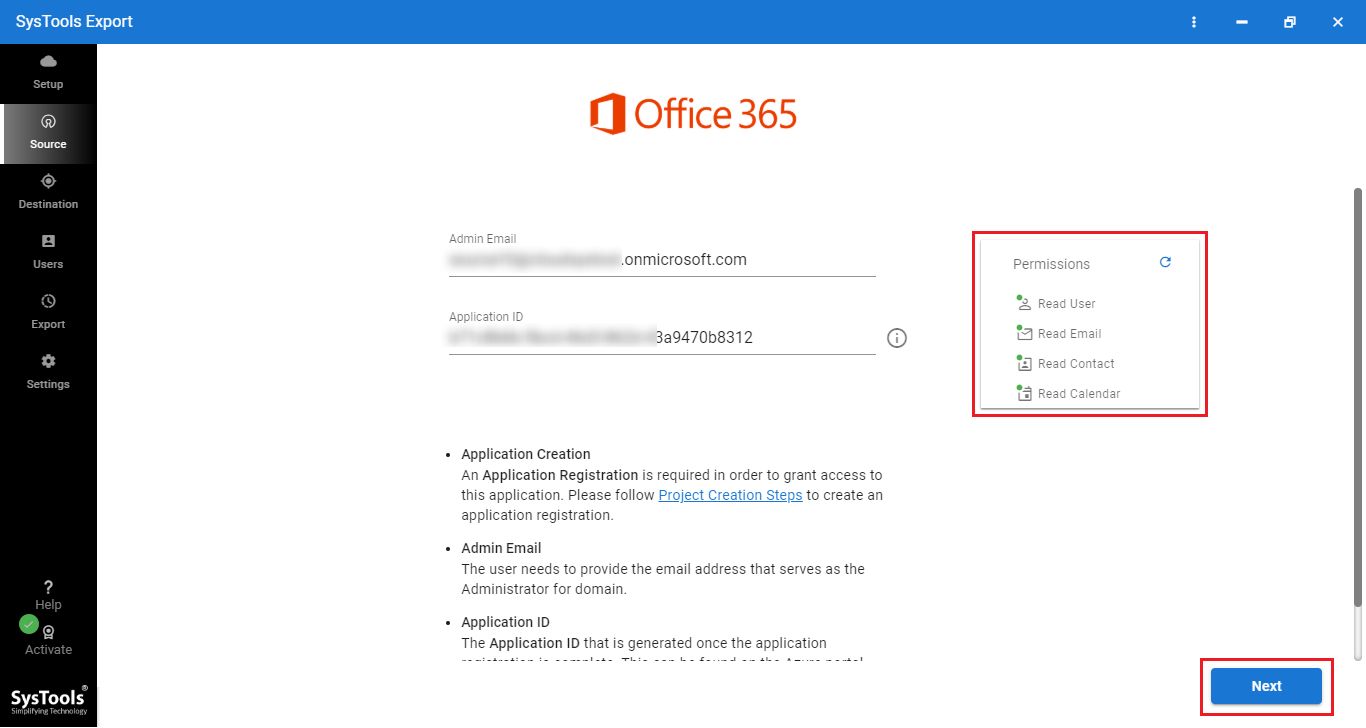
Download Office 365 Exporter Software on Windows OS and Enter Admin Credentials

2

Multiple Export Options

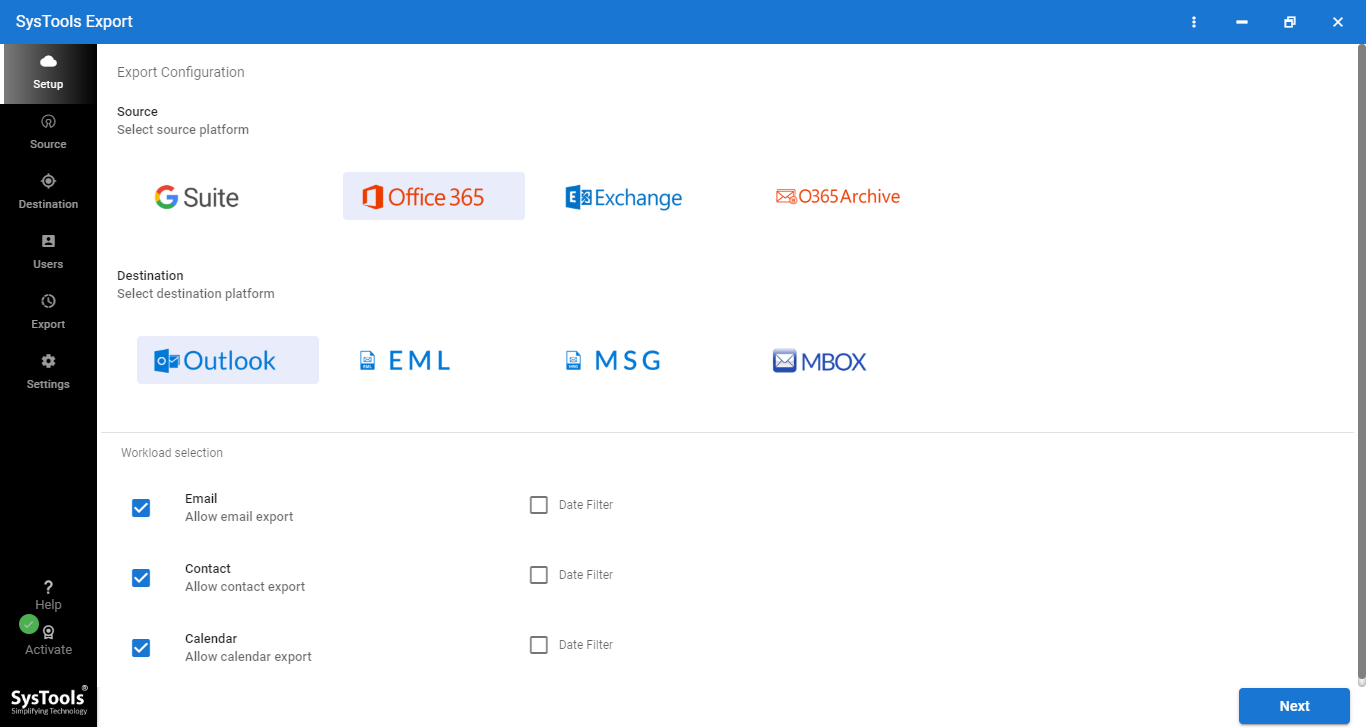
Get Multiple Export Options: PST, MSG, EML & Categories: Mails, Contacts, Calendars, Tasks

3

Export Process Completed

Finally, Export Office Mailbox into PST, MSG or EML File Format and Save Conversion Report.

4

Destination Path

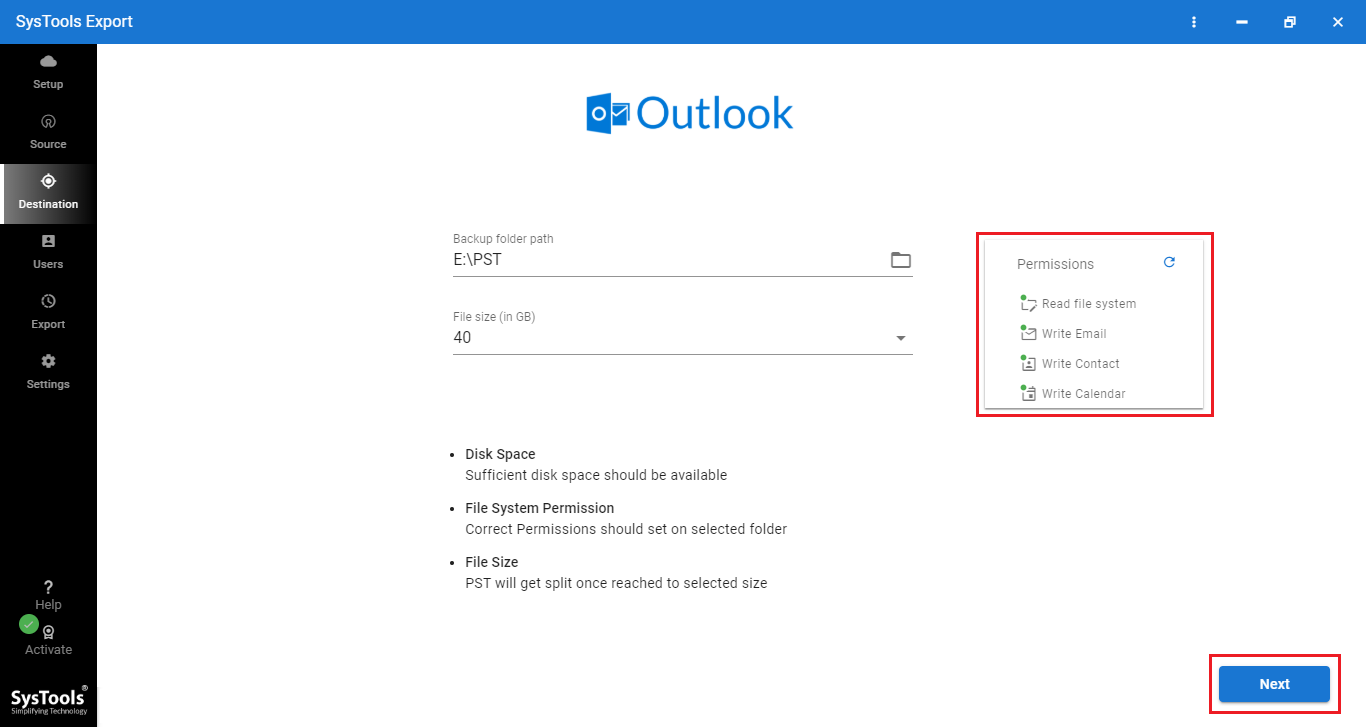
Pick a Location to Deposit M365 User Data.

5

Mapping

Create Mapping and Add Users

6

Start Export

Validate & Start Export to Start the Process.

Descriptive Features of O365 Mailbox to PST Export Tool

Office 365 Exporter Software's Features for Quick O365 Data Extraction

admin password authentication

Secure Admin Credential Validation

The Office 365 Export tool for PST functions after validating administrator-level credentials and pre-generated application ID. Such a security measure is in place to ensure that only authorized IT personnel can access and export sensitive Office 365 data. Protecting the organization from any and all data breach incidents.

keep read/unread status

Preserves Email Read/Unread Status

Retain a complete copy of the Read/Unread status of all email items throughout the export. This special feature is present in the export file formats that support the Read/Unread metadata value. So admins can be assured that their user’s workflow remains undisturbed after a successful export is complete.

compatible with all O365 A to Z plan

A-Z Office 365 Plan Compatibility

This Office 365 Exporter is designed to work with a broad range of Office 365 Business and Microsoft 365 Enterprise Edition Plans. Users with legacy O365 E series can also use the tool to export. Moreover, this tool supports A1 to A5 along with F1, and F3 plans as well.

all Windows OS version compatible

Effortless Windows OS Compatibility

The exporter for Office 365 works on many different Windows Operating systems. Admins can download and use this tool on all versions of Windows 10 and all versions of Windows 11 as well. Thereby streamlining the export process for administrators using Windows OS.

selective path

Select Custom Path to Save Exported Data

Take complete control over the exact location where the tool deposits the extracted O365 data. The tool places no restriction on the digital location of the exported emails, contacts, calendars, and documents. Providing freedom to save email data from Office 365 to desktop or any other accessible storage location.

advanced file naming options

Builtin Output File Naming Conventions

Keep a highly organized copy of the O365 export with a range of customizable file names. Select any one suitable naming convention options like AutoIncrement, Subject, Subject_From, Subject_Date(DD-MM-YYYY), Subject_From_Date(DD-MM-YYYY), Date(DD-MM-YYYY)_From_Subject, etc.

user list selection menu

Export Via User List Selection Screen

The User preview screen consists of an alphabetical list of all user accounts fetched directly or uploaded via a CSV list. Admins can view the account list. To select accounts, mark the boxes next to their names. Critical accounts can be prioritized using the star indicator. After confirming their selections, admins can start the export.

auto export report generation

Automated Office 365 Export Reports

Every export instance generates two different reports. The summary report is a CSV file containing the total item count for each workload divided into success and failure columns. A detailed report with individual user-level item counts is also generated to give admins a chance to assess each workload more deeply.

FreeViewer Office 365 Exporter Software - Specifications

Download Software to Export Office 365 Mailbox to PST

Processor

Processor

Minimum 8 core Processor

Memory & Storage

Memory & Storage

8 GB of RAM (16 GB is Recommended) | 500 MB of free hard disk space required for tool, additional 20 GB for user data

Deployment Prerequisites Deployment Prerequisites

Supported Editions

Supported Editions

FAQs

Q: Is Anti-Virus blocking the export process?

Disable Anti-Virus temporarily or whitelist the software in your settings for proper functionality.

Q: Unable to create output in destination?

Avoid using NAS, SAN, or Network drives. Ensure the source file is on the local migration machine to perform successful migration.

Software Download

Release v7.2.0 | File Size: 162 MB

Download Now

Trial Limitations

With the demo of Office 365 export software you can export two Office 365 user mailboxes to PST, MBOX, PDF, MSG, EML (only email messages) format.


Electronic Delivery

Electronic Delivery

The delivery of product is automated. You will receive an email containing both the link to download and the activation key within few minutes.

Overview of Office 365 Export Tool for PST Features – Demo vs Full

Office 365 Export Mailbox to PST with Software Full Version

Features

Demo Version

Full Version

Supports Multiple Office 365 Mailboxes

Extract Office 365 Archive Mailboxes

Supports Office 365 Email, Contacts, Calendars, Tasks

Compatible With Windows 10 & Below Versions

Option to Apply Date Filter

Pause & Resume Feature

Extract Office 365 Emails in PST Format 2 User Accounts Unlimited User Accounts
Cost DEMO $10 /Each User

Frequently Asked Questions

Listed Commonly Asked Questions and Answers

What Customers Are Saying

Get User Reviews of Tool to Export Office 365 Mailbox to PST

4.8
2172 Ratings
5 Star 88%
4 Star 10%
3 Star 1%
2 Star 0%
1 Star 0%